

WIZTRADER PRO
A connected view of the market.
Follow chart signals alongside directional structure and market pressure. Show the tools you need and hide the ones you don’t.
SIGNALS
Entry and exit markers
Directional markers for virtual Long and Short positions, with optional alerts.
STRUCTURE
Price context
Visualize market structure with Channel, Reaction Zones or Band, and optional Structure Lines.
MOMENTUM
Fast and Slow pressure
Read the Fast and Slow oscillator below your price chart for a second perspective on market activity.
TRADING PROFILES
The same market history, viewed through three different signal profiles.
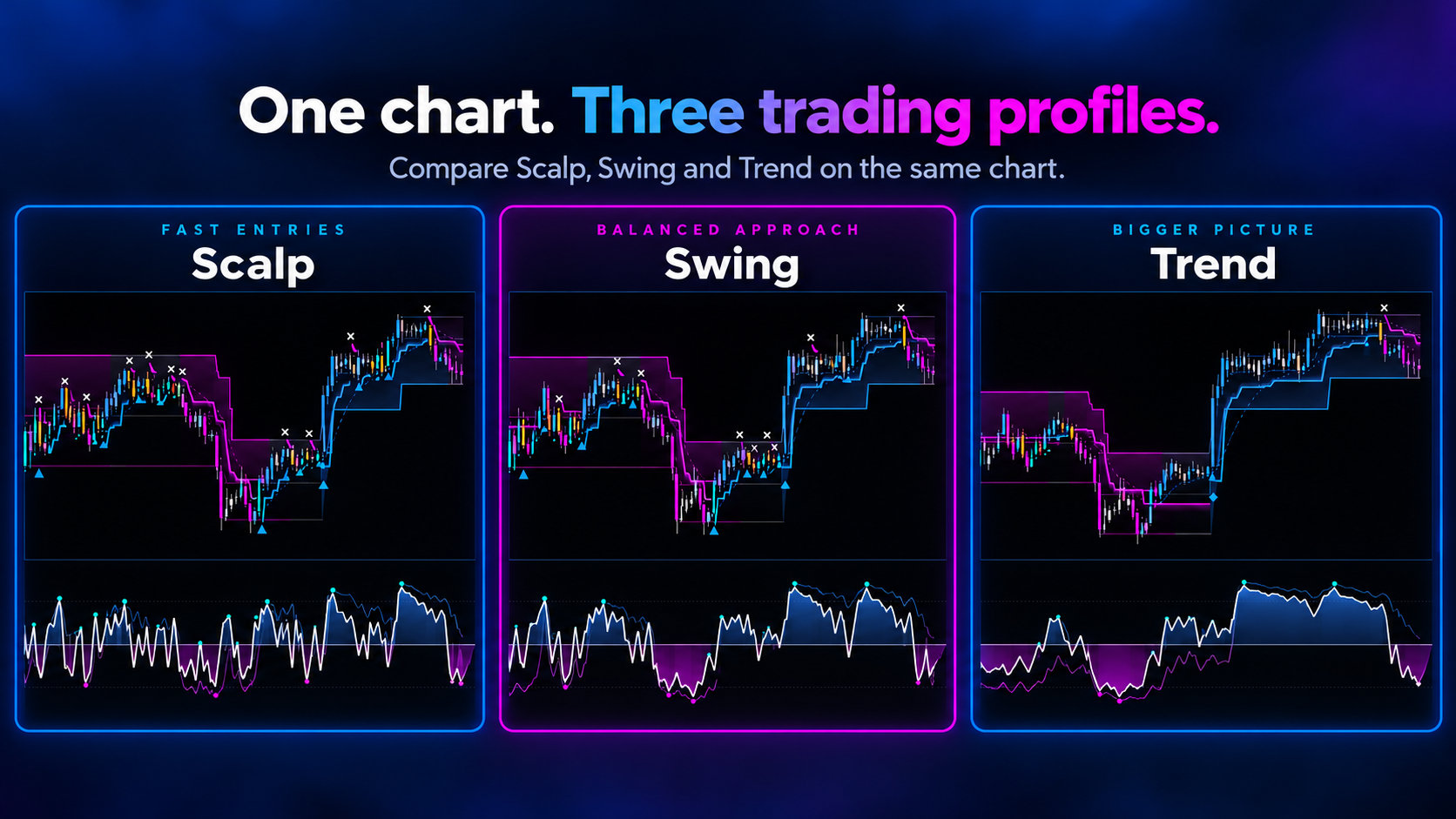
Scalp
More responsive to changing market conditions.
Swing
A balanced response as price moves develop.
Trend
A steadier view of established market direction.
Profiles describe different indicator behavior, not fixed holding periods. They do not guarantee trading results.
Swipe sideways to view the full comparison image.
TREND VIEWS
Change the view. Keep the market.
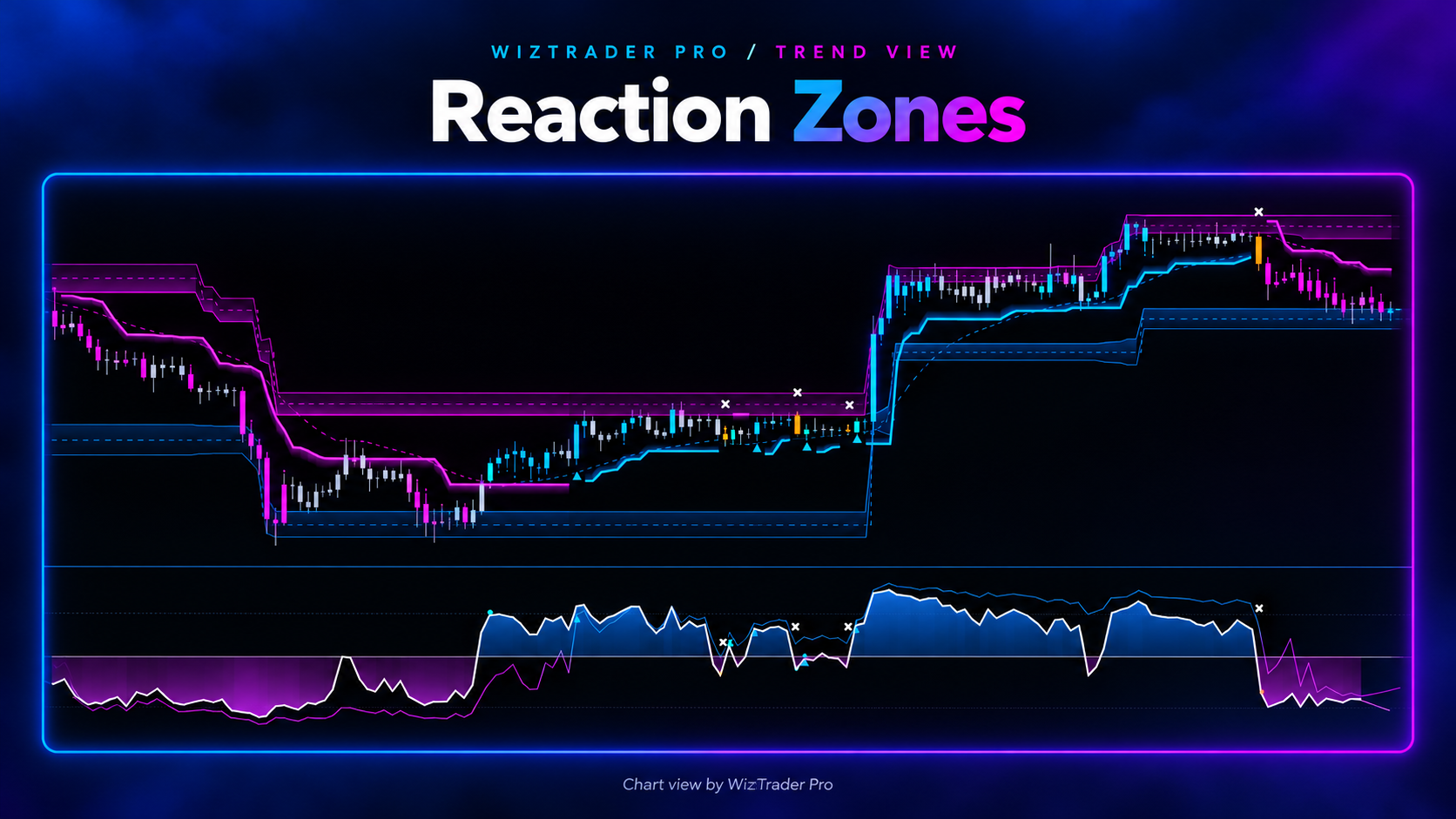
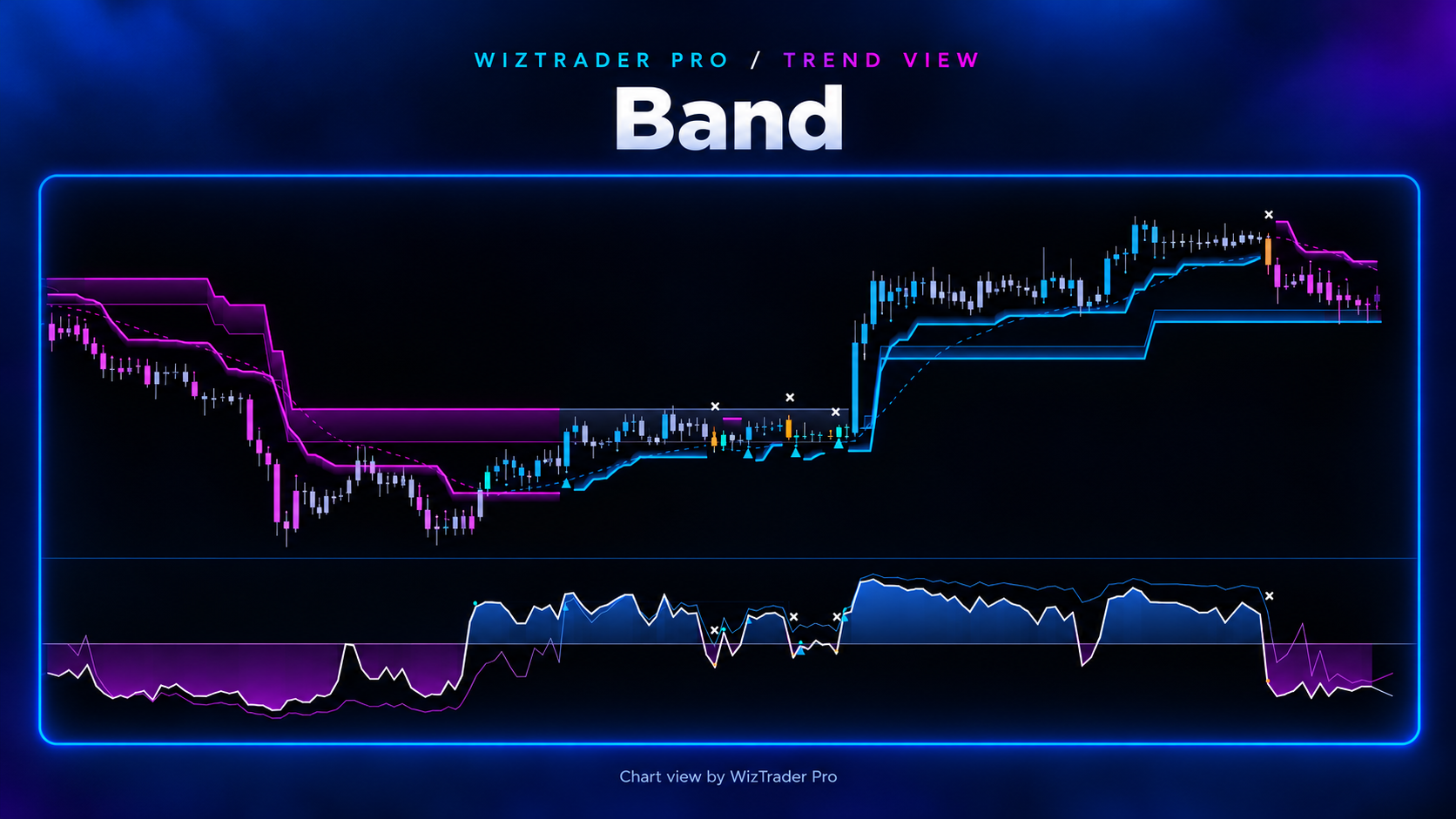
Use the arrows to compare Channel, Reaction Zones and Band on the same chart. Each view shows different aspects of the current price structure.
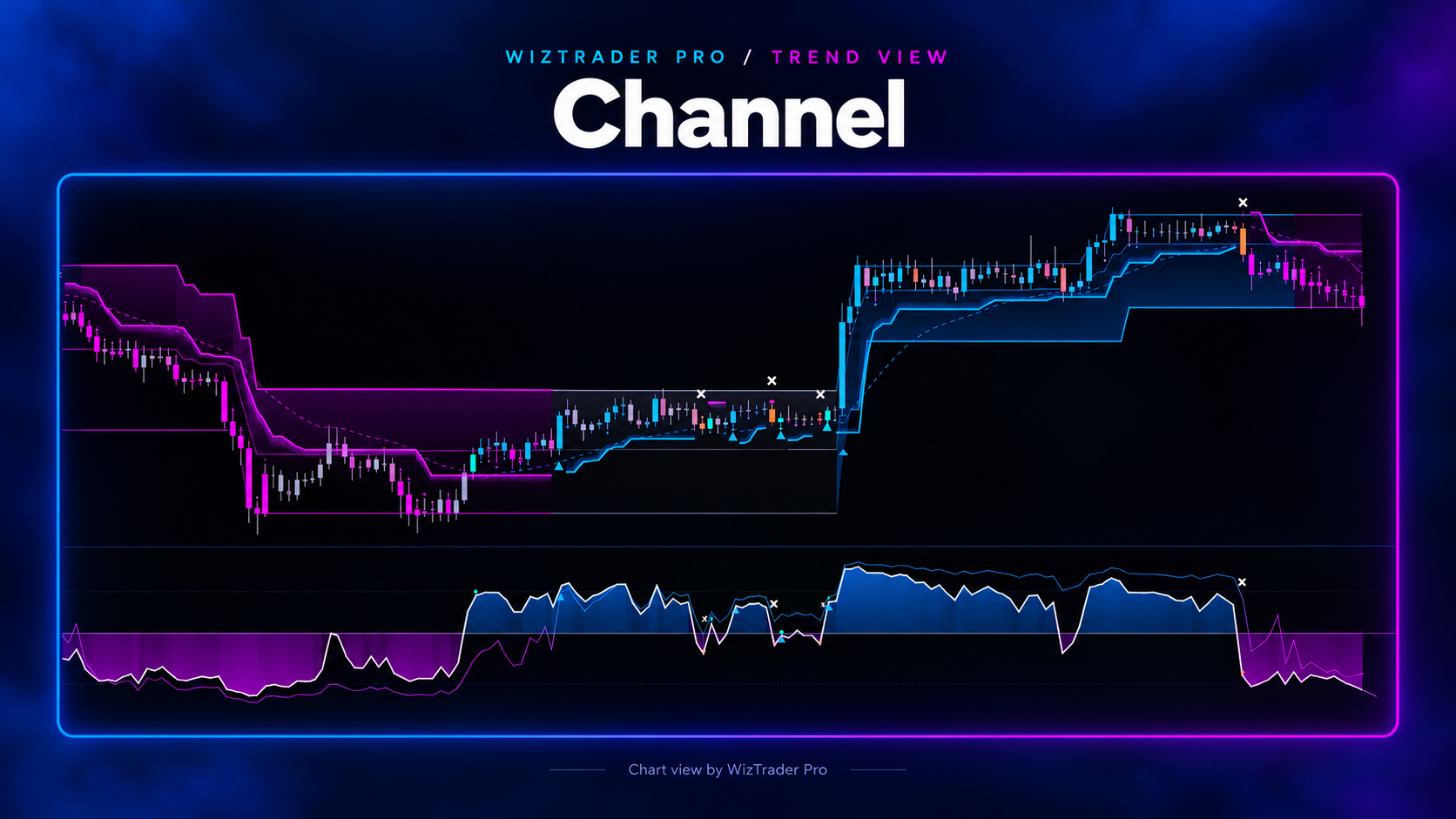
Channel
Two visible boundaries frame price movement inside the active structure.
Reaction Zones
Highlighted areas help you watch for possible price reactions. Optional zone alerts are available.
Band
A compact band follows directional price movement through the structure phase.
MARKET STRUCTURE
Optional support and resistance lines, with alerts for breaks.
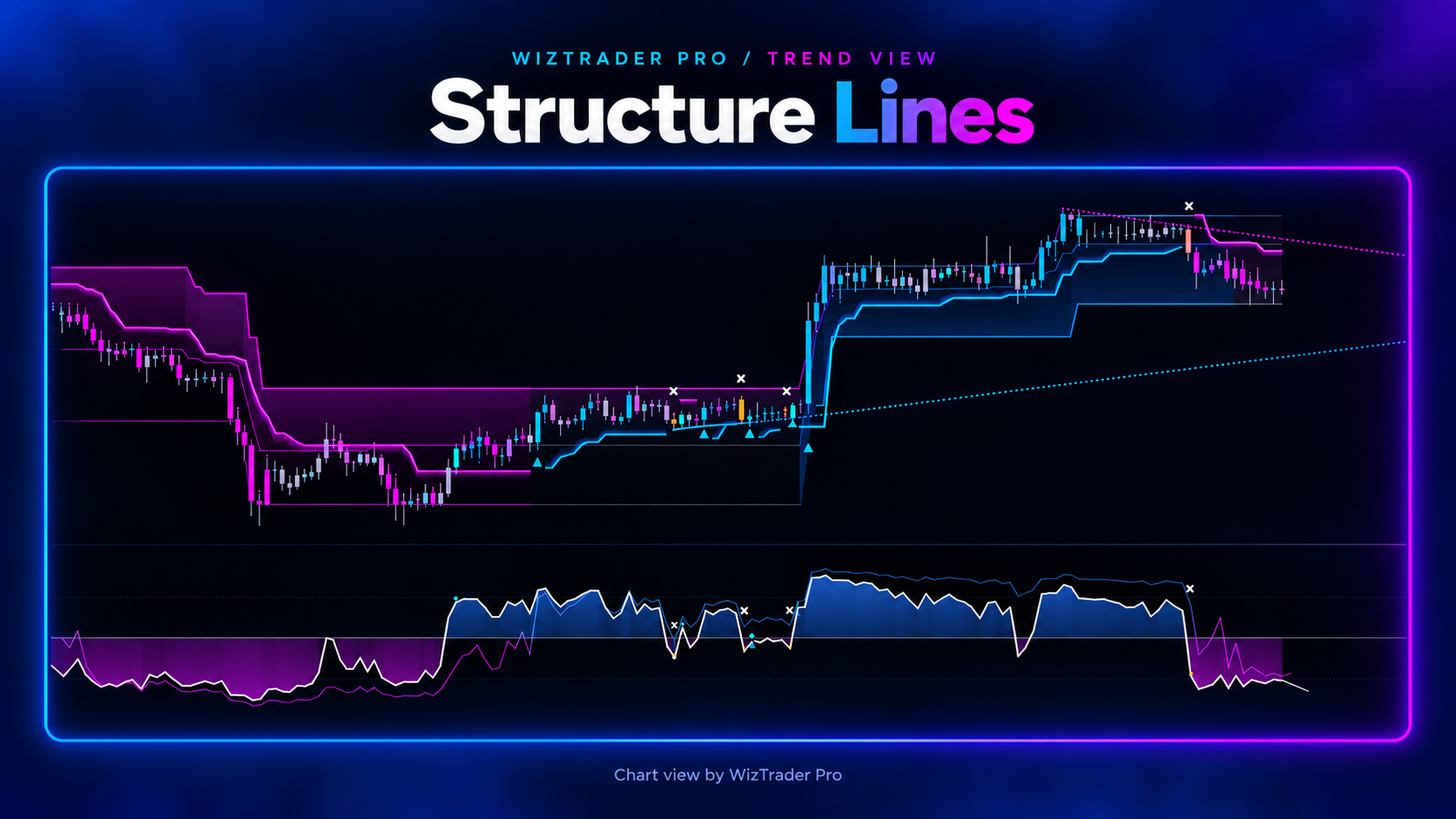
Swipe sideways to view the full illustration.
MOMENTUM
The Fast and Slow curves add another view of market pressure below the price chart.
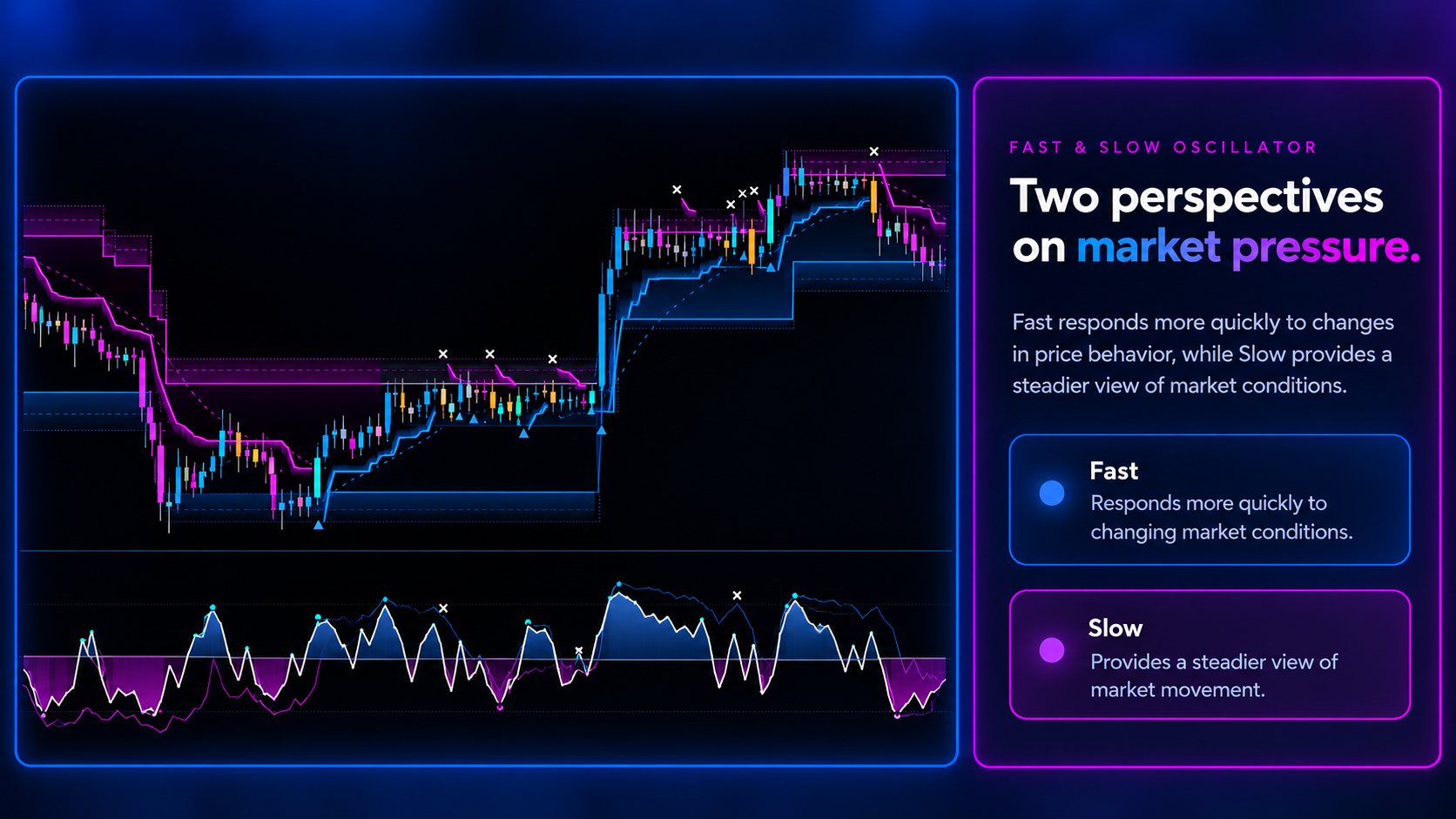
The oscillator provides supporting chart information and does not place or execute trades.
Swipe sideways to view the full illustration.
SIGNALS & ALERTS
Know what each signal means.
The chart distinguishes Long and Short entries from exits. You can choose how alerts are confirmed.
BUY
Long entry
SELL
Long exit
SHORT
Short entry
COVER
Short exit
Bar Close
Signals are confirmed when the candle closes.
Live
Provisional events can change before the candle closes. An alert that has already been sent cannot be withdrawn.
GETTING STARTED
WizTrader Pro on TradingView.
When access is available, you can add WizTrader Pro to a TradingView price chart and select the display options you want to use.
TRADINGVIEW
Use a TradingView account
WizTrader Pro is designed to run inside TradingView. You need an account on the platform.
INDICATOR ACCESS
Add WizTrader Pro
Once your access is enabled, open the indicator in TradingView and add it to a price chart.
SETUP
Select a profile
Choose Scalp, Swing or Trend, select a structure view and configure the chart and alerts.
ACCESS & PRICING
Access details are being finalized.
WizTrader Pro is being prepared for release. Confirmed access options, pricing and subscription terms will be published here when available.
For questions about the product, use the Contact page in the website navigation. No subscription is started by viewing this page.
FREQUENTLY ASKED QUESTIONS
Before you get started.
Does WizTrader Pro place trades?
No. It displays chart signals and virtual positions. It does not send orders to a broker.
Can Live signals change?
Yes. Intrabar events can change before the candle closes. Already-sent alerts cannot be withdrawn.
Can I use it on daily charts?
Yes. Scalp, Swing and Trend can be selected on supported chart timeframes, including daily charts.
Which TradingView plan do I need?
You need a TradingView account. Platform features and alert limits depend on your TradingView plan.
Do the profiles guarantee results?
No. The profiles offer different indicator behavior. Historical chart examples do not guarantee future returns.
How can I get access?
Access options and subscription terms will be announced on this website once confirmed.
WIZTRADER PRO
Explore the tools before you decide.
Review the profile comparison, trend views and indicator features. Access information will be added as soon as the release terms are confirmed.
Trading involves risk. Indicator examples and historical chart behavior are not predictions of future performance.